Floor Monitors
When large groups of musicians are on the chancel it can help for them to have monitors
to hear the sound they're putting out. (Not just hearing the mix from the Mains)
For this purpose we have 2 strategies, each providing two monitor speakers.
The hope is that one or both of these 2 methods will fill the need for floor monitors.
(If the 2 small monitors can suffice, they are much simpler to use)
- Small monitor speakers were added as part of the AV upgrade in 2023. They plug into
jacks located in the floor pockets for audio inputs 5 & 6 at each end of the chancel.
The mix for these are labeled Stage-L and Stage-R on the SQ-5 mixer.
These are normally muted so they must be unmuted in order to hear them.
Also, the Talkback mic on the SQ-5 console is currently routed only to these monitor speakers
- Large monitors that are stored in the east-end of the organ space, behind the locked door
where we sometimes keep music stands. Below are the instructions for using these.
Monitor Hook-Up
- Access the monitor speakers, amps and cables from the east-side organ compartment.
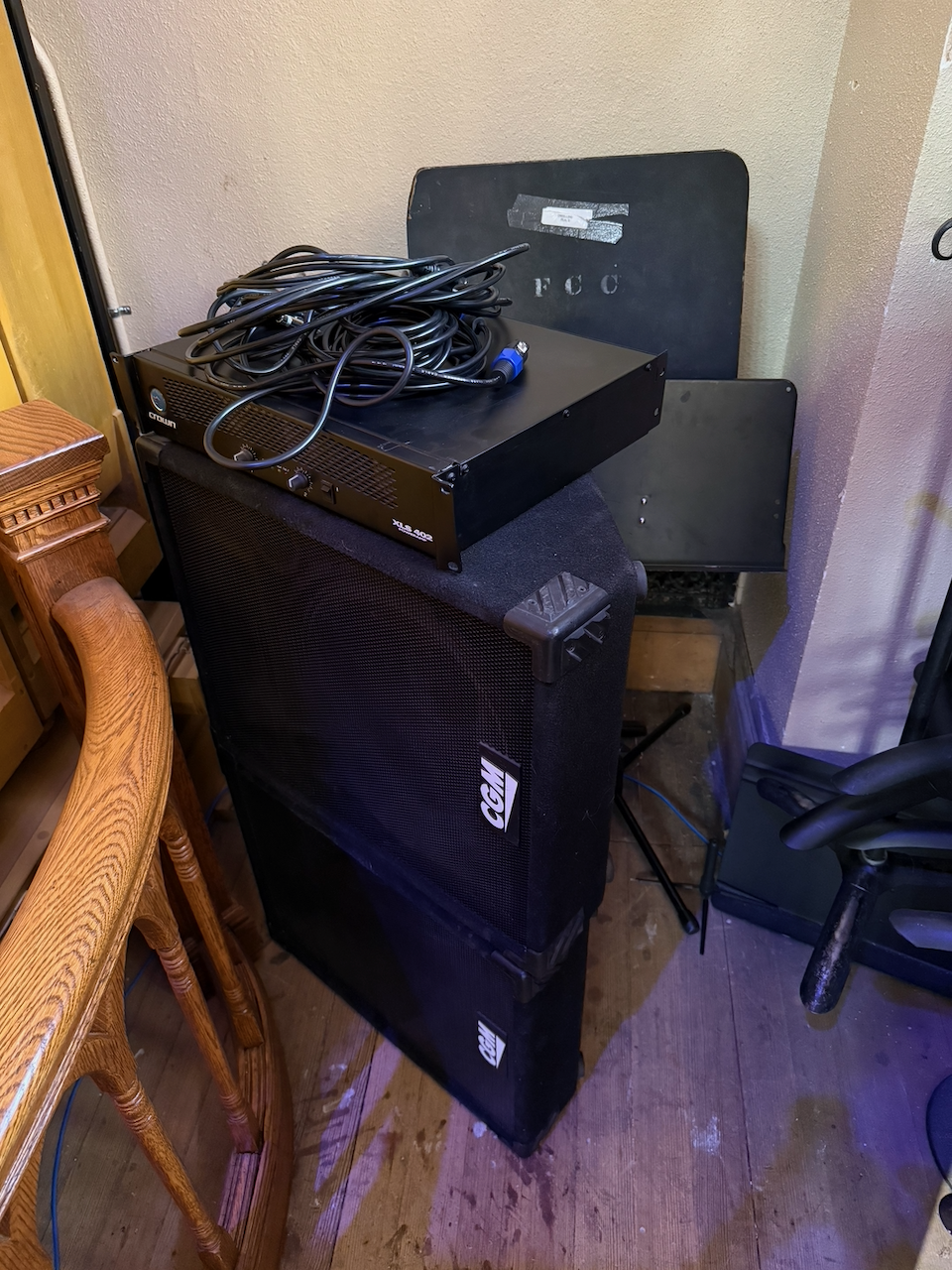
- Space the monitor speakers on the chancel a few feet east & west from the center.
- Place the Crown amp on the floor near the east-side floor pockets for audio inputs 3 & 4.
- Plug in AC power to the Crown amp using the nearby outlet.
- Use the Y-XLR cable (one female input, two male outputs) to connect the Return 2 output
in the floor pocket to inputs 1 & 2 on the amp.
- Connect the Speakon cables to the amp outputs and run a cable to each of the monitors.
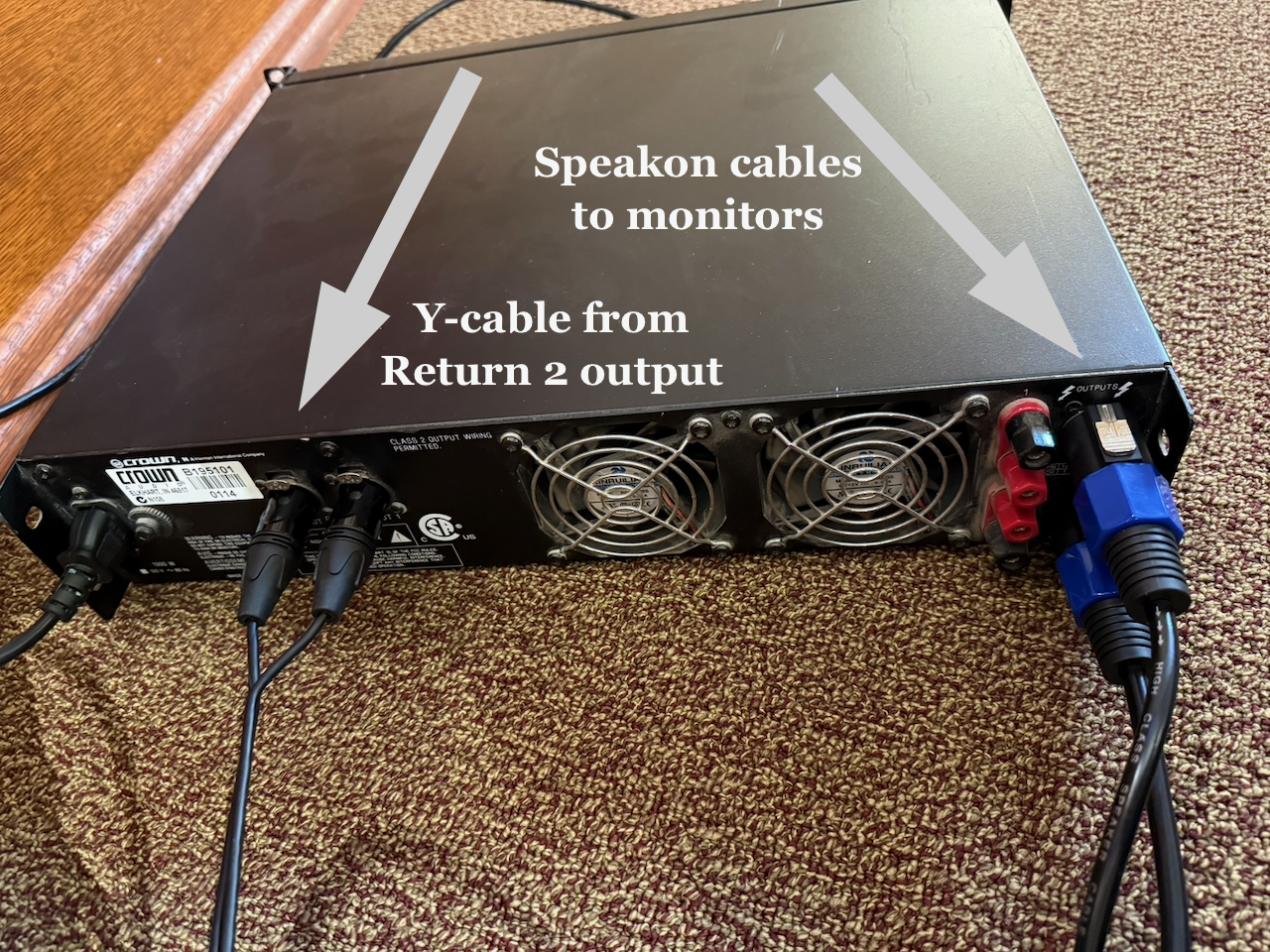
- Turn on the Crown amp
- Control signals and levels to the monitors via the "Return 2" mix on the SQ-5.
- Use caution to avoid levels that will cause feedback.
END